Subeta Navigation: Home - News - Games - Shops - Forums - Inventory
  • About Me
    Hello! I'm Abaven! (formerly known as Kittyclaws911) I'm an American Christian, and I like to think of myslef as an overall friendly person that can get along with just about anyone.

    If you ever want to chat, drop me a comment whenever. Despite my awkwardness, I'm a sucker for conversation, and I love meeting new people. Just no hard feelings if I don't respond right away (life is crazy).

    Interests: Invader Zim, Gravity Falls, video games (Retro, puzzle, free roam, & more), puns, science, math, drawing, writing, Transformers, StarWars, anime, memes, and learning new things.

    I also am a minion collector, so if you got some from my WL at a good deal, shoot me an offer. :)
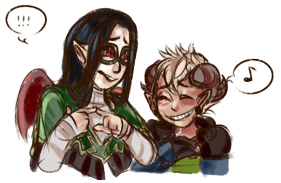
  • Valentin by kira_003
  • Virtual Me
    User Avatar: 618838

  • Extra Userinfo
    Joined: Monday September 24th
    Member For: 13 years, 5 months, 3 weeks, 1 day
    Forum Posts: 1,631 - Recent Posts - Recent Topics
    Trading Cards: 167
    Plushies: 1,274
    Beanbags: 622
    Tiles: 0
    Pumpkins: 154
    Stickers: 57
    Bobbleheads: 44
    Minions: 3,093
    Trades: 0
    Achievements: 851
    Scores: Click Here
    Battle Stats: Click Here
    Give Gift: Click Here
  • Profile
  • profile guid ref
    Spoiler (click here to toggle)
    Quote by @usagi:

    usagi`s free simple user profile code

    updated width of comment box from 350px to 300px as subeta coding has changed recently to narrower boxes!!a simple user profile where you can include any boxes in any columns in whatever order you like~(however IF YOU INCLUDE YOUR PETS SECTION you need to make it 4 or less pets per row!)to put your code in, you can use the profile page! to quote
    Quote by bug:
    STEP ONE: instead of pasting in a blank section, you'd paste the code in the form on this page: https://subeta.net/preferences.php?act=profileand in most cases that's all you need to do for it to work!! cuz profiles have the Profile section by default so most people still have theirs.STEP TWO (optional): If step one didn't work by itself, then there is only one more step to do: you have to add the Profile section to your profile. And to do that, it's exactly way you add the Blank Section, except instead of clicking "Blank Section" you click the one that says "Profile" :)
    (alternatively, the old but not preferred method is: by creating a blank section and pasting the coding, a blank section box can be found on the edit profile page, clicking add content, and blank section from the list)for those css savvy already, here's the code to edit:
    the code
    Code:
    [style]/*coding help provided by user usagi*/html{background-color:#ffffff; cursor:default; background:url(url goes here);} html, body, table, tr, td, div, a, i{font-family:trebuchet ms; font-size:12px; color:#444444; text-align:center; letter-spacing:0px;}      a:link, a:active, a:visited{color:#000000; letter-spacing:0px; font-family:tahoma; font-size:10px; text-transform:none;}     a:hover{color:#888888; text-decoration:none; cursor:default;}    .textbox{color:#222222; height:80px !important; width:300px !important; -moz-border-radius:10px; border:1px solid #AAAAAA; background-color:#EFEFEF; font-family:tahoma; font-size:10px;}    .forminput{background-color:transparent; width:300px !important; height:20px !important; font-size:10px; -moz-border-radius:10px; border-radius:10px; border:0px solid #000000; font-family:trebuchet ms; letter-spacing:1px; color:#111111;}table, td{background-color:#ffffff;border:0px solid white;}.header{background-color:#F9C3CF;border:1px solid #ffffff;padding:0px!important;}#content_pets td{width:65px!important;padding-left:2px;}#navigation{background:#ffffff;border:1px solid #000000;}[/style]
    Not sure what you're editing or doing? It's okay, I will walk you through it. Just take the above, copy and paste it into your notepad program and read my notes on the coding below (don't copy the one below because it will be a veritable mess)! Also, be sure and check out the resources below to help you choose colors and/or backgrounds if don't have anything in mind already! For usefulness, I will CAPS LOCK my notes below the relevant coding. (and yes, there is a lot because I don't know how much you know already so please be patient, thank you; if I don't comment on something, it's because it was mentioned earlier in the notes)
    coding notes
    Code:
    [style]/*coding help provided by user usagi*/THIS IS JUST A SMALL CREDITS THING TO ME.html{background-color:#ffffff; cursor:default; background:url(url goes here);} THIS IS FOR YOUR BACKGROUND AND CURSOR.IF YOU DO CHOOSE A BACKGROUND, ADD THE FULL URL IN PARENTHESES.IT IS STILL USEFUL TO CHOOSE A BACKGROUND COLOR BECAUSE YOUR GUEST WILL SEE THE BACKGROUND COLOR BEFORE YOUR BACKGROUND LOADS. COLORS ARE PROVIDED IN SIX DIGIT HEX CODES AFTER A HASHTAG #. USE THE COLOR WHEEL RESOURCE PROVIDED IN THE LINKS BELOW TO CHOOSE AS HARDLY ANYONE MEMORIZES HEX CODES! SIMPLER COLORS LIKE WHITE AND BLACK CAN BE WRITTEN OUT.CURSOR CAN BE DEFAULT, CROSSHAIR, HELP, AND THERE ARE MORE OPTIONS BUT THOSE ARE THE MOST COMMON.html, body, table, tr, td, div, a, i{font-family:trebuchet ms; font-size:12px; color:#444444; text-align:center; letter-spacing:0px;} THIS TELLS US WHAT OUR TEXT SHOULD LOOK LIKE AND HOW IT SHOULD BE CENTERED. YOU CAN CHOOSE CENTER, LEFT, RIGHT, OR JUSTIFY FOR TEXT-ALIGN. POPULAR FONT FAMILIES INCLUDE: TREBUCHET MS, TAHOMA, VERDANA, GEORGIA, CENTURY GOTHIC. IF YOU INCLUDE A FANCIER TYPE (YOU INSTALLED FOR EXAMPLE), REMEMBER OTHERS MAY NOT SEE IT ON THEIR DEVICES. SIZES ARE ALWAYS FOLLOWED BY A PX. LETTER-SPACING IS HOW MUCH SPACING SHOULD BE BETWEEN INDIVIDUAL CHARACTERS/LETTERS. YOU CAN DO NEGATIVE SPACING BY PUTTING IN a - IN FRONT OF THE NUMBER, IE -1. ALSO FOLLOWED BY A PX.      a:link, a:active, a:visited{color:#000000; letter-spacing:0px; font-family:tahoma; font-size:10px; text-transform:none;}THIS TELLS US WHAT OUR LINKS SHOULD LOOK LIKE. I ADDED IN A TEXT-TRANSFORM BIT WHICH MEANS YOU CAN DO THINGS LIKE MAKE ALL LINKS: LOWERCASE, UPPERCASE, CAPITALIZE, OR NONE (WHICH MEANS DOESN'T CHANGE ANYTHING).     a:hover{color:#888888; text-decoration:none; cursor:default;}THIS TELLS US WHAT OUR LINKS SHOULD LOOK LIKE WHEN WE HOVER OVER THEM WITH OUR CURSOR. YOU WILL NOTICE A NEW THING HERE: TEXT-DECORATION. IT TELLS US WE CAN ADD: UNDERLINE, OVERLINE, LINE-THROUGH TO THE TEXT.     .textbox{color:#222222; height:80px !important; width:300px !important; -moz-border-radius:10px; border:1px solid #AAAAAA; background-color:#EFEFEF; font-family:tahoma; font-size:10px;}THIS IS FOR THE COMMENT BOX. COLOR IS THE TEXT COLOR. HEIGHT AND WIDTH ARE NUMBERS FOLLOWED BY PX (PIXELS). THAT MOZ-BORDER THING MEANS ROUNDED CORNERS ON MOZILLA BROWSER. BORDER OF THE COMMENT BOX CAN BE PERSONALIZED. THE PX BIT TELLS US HOW THICK THE BORDER IS. HIGHER NUMBER = THICKER BORDER. SOLID IS THE TYPE OF BORDER. OTHER KINDS YOU CAN SELECT ARE: DASHED, DOTTED, DOUBLE, GROOVE, RIDGE. THE LAST BIT IN BORDER IS OBVIOUSLY THE HEX CODE FOR ITS COLOR.     .forminput{background-color:transparent; width:300px !important; height:20px !important; font-size:10px; -moz-border-radius:10px; border-radius:10px; border:0px solid #000000; font-family:trebuchet ms; letter-spacing:1px; color:#111111;}THIS IS FOR THE TEXT UNDERNEATH THE COMMENT BOX. PERSONALLY FOR THIS I WOULD LEAVE THE BACKGROUND TRANSPARENT AND BORDER ZERO AND HENCE NON-EXISTENT BECAUSE YOU DON'T WANT A BOX UNDERNEATH A COMMENT BOX AS IT LOOKS UGLIER IMO. THE MOST IMPORTANT BITS HERE ARE HOW THE TEXT SHOULD LOOK LIKE.table, td{background-color:#ffffff;border:0px solid white;}THIS IS FOR THE INDIVIDUAL BOXES YOU DECIDE ON..header{background-color:#F9C3CF;border:1px solid #ffffff;padding:0px!important;}THIS IS FOR THE HEADERS ON THOSE INDIVIDUAL BOXES. SUBETA DOES A NICE GRADIENT THING FOR HEADERS AUTOMATICALLY SO WHATEVER BACKGROUND COLOR YOU CHOOSE FOR THE HEADER HERE WILL LOOK LIGHTER DUE TO THE GRADIENT EFFECT. NICE! THE PADDING BIT IS THERE TO MAKE THE HEADER APPEAR MORE CENTERED TO THE REST OF THE BOX. LEAVE IT AS IS!#navigation{background:#ffffff;border:1px solid #000000;}LASTLY THIS IS FOR SUBETA NAVIGATION LINKS AT THE VERY TOP OF YOUR PROFILE! CUSTOMIZE THE BACKGROUND AND BORDER HERE!CONVERSELY, IF THAT NAVIGATION THING BOTHERS YOU WITH ITS EXISTENCE YOU CAN CHOOSE TO NOT DISPLAY IT BY WRITING #navigation{display:none;} INSTEAD OF THE STUFF PROVIDED ABOVE.[/style]THIS TAG CLOSES YOUR CODING AND AFTER YOU CAN TYPE IN WHATEVER YOU LIKE AND IT WILL APPEAR IN YOUR BLANK SECTION. GOOD PLACE TO CREDIT STUFF IF YOU USE A BACKGROUND! IN WHICH CASE YOU CAN DO SO BY:background credit

    Useful resources!! (from colourlovers):hex code color wheelbrowse background patterns(if you find a background you like, click on preview under "get this pattern image" on the right hand sidebar and you will be taken to the page with the background - copy its url into the url bit; and be sure to give credit where credit is due!)(@ far bc I promised :))
  • Wanna be buddies?
    Send MailAdd Friend
  • Art by the lovely Asmodoodle
  • Art of Me by Cheshire
  • My Buddies :D
    Reya

    Memnoch

    Mamottshuu

    LaHype

    freefall

    EasiestCashew

    Gremlin

    SleepyKyuubi

    Tempest

    Alaina

    sanguine

    mcannon

    Evalynn

    Sphynx64

    Kellijuana

    Herobrine

  • I always love to chat!


  • My Desires

    A Guide to Downtown

    Reading Drive Trading Card

    Recycle Beast Trading Card
    Full Wishlist
  • Cuties
    Limited Edition Connor Plushie
    Rift Edition Valentin Plushie
    Limited Edition Chimalma Beanbag
    Grayscale Quentin Plushie
    Limited Edition Dmitri Plushie
    Limited Edition Gregory Plushie
    Nico Doll
    Manwar Doll
    Collectible Saggitarius Plushie
    Collectible Calvin Plushie
    Little Buddy Blake and Matlal Plushies
    Wish for Elwood Plushie
  • Momma's Babies
    Symphonic911
    Hypnotica911
    Insidious911
    Paradox911
    Malfunction911
    Hellscream
  • Medals

    Gold Account

    Restock Royalty (26,981)

    Potion Lottery

    Aboxalypse Champion

    Rainbow Plushie Trophy

    Crystal Beanbag Collector

    Ruby Trading Card Trophy

    Silver Trapped Minion Medal

    Trapped Minion Consecutive (112)

    Leviathan Harpooning

    Snowball War