Kumos is back up. It brought itself down overnight, because the scheduled downtime the other night didn't finish. I'm very sorry for the overnight downtime!
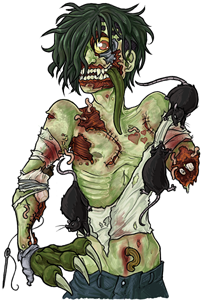
I've added the ability to choose any Virus, at any stage, once for the event.
The latest from Subeta. Browse the archives for older updates.
Kumos is back up. It brought itself down overnight, because the scheduled downtime the other night didn't finish. I'm very sorry for the overnight downtime!
I've added the ability to choose any Virus, at any stage, once for the event.


Wardrobe Avatar Page Rework
@Syfyri posted an incredibly detailed breakdown of the wardrobe avatar page with mockups and everything (seriously, go read it!). We went through every point and implemented the vast majority of their suggestions. Here's what changed:
New 3-Column Layout
The avatar page now uses three columns on wide screens: your Currently Wearing list on the left, Avatar Preview + Item Preview in the middle, and the Item Browser on the right. Each column scrolls independently, so you can browse hundreds of items without losing sight of your avatar or your current outfit. On smaller screens it gracefully collapses to two columns, then stacks on mobile.
Fixed Item Preview Panel
No more chasing a floating preview around with your mouse! There's now a dedicated preview panel below your avatar that shows your body wearing the hovered item. Hover over anything in your items or your Currently Wearing list and it appears in the preview instantly. If you're browsing items you don't own, the preview panel also shows a Shop Search link and a quick Wishlist button.
Filter Improvements
* Sort By and the My Items / All Items toggle are now always visible β no more digging through Advanced Filters for basic controls
* 11 layer tabs shown by default (Chest, Hair, Hat, Face, Held, Feet, Head, Backdrop, Foreground, Neck)
* Labels now use AND logic β select "wings" + "sparkle" and you'll get items tagged with both, not either
* You can click a selected label again to deselect it
* You can now select multiple colors at once (also AND logic) β find items that are both blue AND gold, for example
* Active filter chips appear below the filters with clear category labels (Color:, Drawer:, Label:, etc.)
All Items / Catalog Browse Fixes
This mode was pretty broken before β it was returning non-wearable items, sorting didn't work, and pagination was busted. All fixed now. It only shows wearable items, all sort options work correctly, and you get proper page numbers with totals. You can also preview unowned items on your avatar now since clothing URLs load properly.
Visual Polish
* Unowned items in Catalog Browse have a softer dimmed look (less aggressive than before)
* Owned items get a subtle green checkmark when browsing All Items so you can tell what you have at a glance
* The CW (Custom Wearable) badge is now a small star icon instead of a text overlay
* The old outfit completeness progress bar is gone β it wasn't particularly useful
* Pagination controls stick to the bottom of the items panel so they're always reachable
Drag & Drop Fix
Dragging items to reorder in your Currently Wearing list now auto-scrolls when you drag near the top or bottom edges. No more struggling to move an item to the top of a long outfit.
Big thanks to @Syfyri for taking the time to write all of this up with mockups β this is exactly the kind of feedback that makes Subeta better. If you run into any issues with the new layout, let me know!


Fixed a bunch of pages that were showing blinding white backgrounds and unreadable text when using dark themes like Darkside, Shadowglen, and Morostide. The shop autopricer, forum reply checkboxes, quest daily rewards bar, and several other Flux UI components should now properly respect your chosen theme.


Quest completions should now feel noticeably faster. We optimized the reward calculations and moved non-essential background work (like cache updates and activity logging) off the main thread so you see your rewards sooner.


Fixed a frustrating bug where changing filters (layer, color, labels) in the wardrobe item browser wouldn't actually update the items shown on the current page. Previously, items would get "stuck" on pages - you'd click on "Hat" layer but still see your recently added items from all layers. This was essentially the system caching each page (so if you went to page 2 with filters selected, you'd see that! for any page two going forward)
Now when you change a filter, the items update immediately to match your selection. No more phantom pages showing the wrong items!
Your active hexes (viruses, replacement limbs, etc.) now appear in the wardrobe's "Currently Wearing" list under an "Active Effects" section. You can see what stage they're at and whether they're frozen (what does that mean π π π)